
Your Peugeot 3008’s 21-inch curved display just opened the sunroof on its own. Or maybe it cranked the AC to max while you were driving on the motorway. You’re not imagining things.
Ghost touch is a well-documented issue on the 2024–2026 Peugeot 3008, Hybrid, and e-3008 models where the i-Cockpit’s capacitive touchscreen registers phantom inputs without any physical contact. The problem affects the central 21-inch curved display and sometimes the 12.3-inch digital instrument cluster, causing erratic behavior in climate controls, i-Toggles, navigation, and media. In most cases, a soft reset using the piano key combination or the Version 2.5.1 software update resolves the glitch, but persistent ghost touches may indicate hardware delamination requiring a warranty screen replacement.
This guide breaks down exactly what causes ghost touch on your Peugeot 3008, how to perform a soft reset at home, and when the problem crosses the line from a software hiccup into a hardware failure that needs dealer intervention.

Best Bluetooth OBD2 Scanner
Detect 39,000+ Issues With Enhanced Codes. Save $1000s on car repairs & buying used vehicles by diagnosing problems yourself.
Shop on Amazon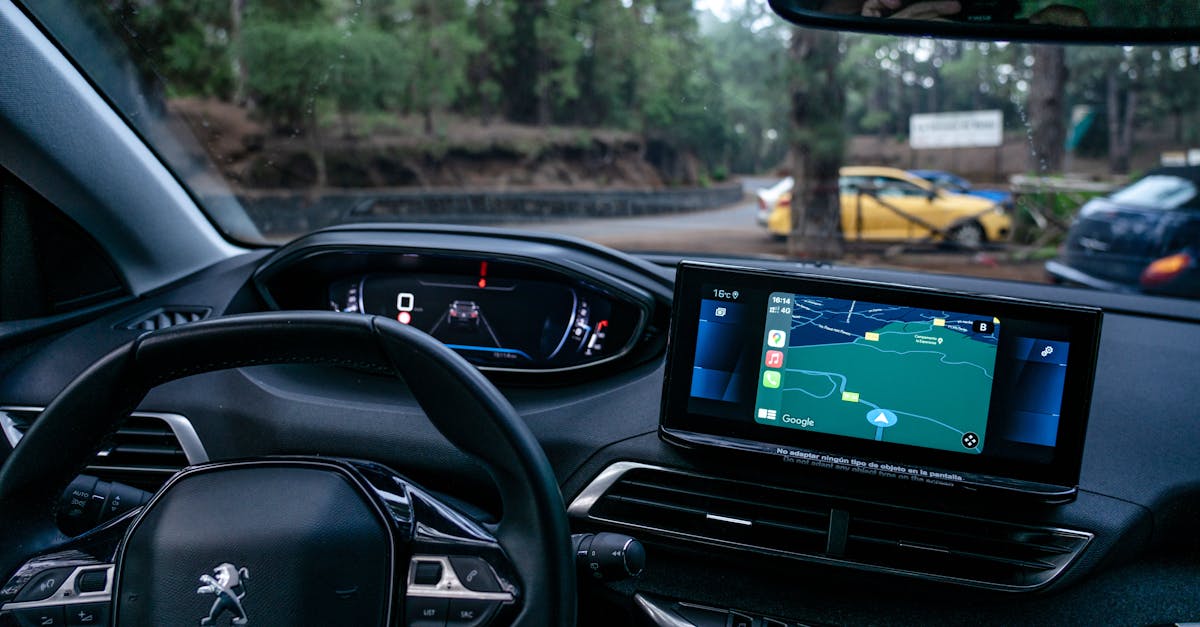
What Is Ghost Touch
Ghost touch refers to your Peugeot 3008’s touchscreen detecting input where none exists. The screen behaves as if an invisible finger is tapping, swiping, or holding down on random areas of the display. On the 3008’s massive 21-inch curved panel, which consolidates climate control, navigation, phone, and media into one surface, this isn’t just annoying. It’s a genuine safety concern.
Because Peugeot moved virtually all physical controls to the i-Connect Advanced system’s touchscreen, a ghost touch event can change your cabin temperature, switch radio stations, or even interfere with your navigation mid-route. Some owners report the display entering a boot loop after repeated phantom inputs overwhelm the system’s processor.
Common Symptoms to Watch For
The first sign is usually the i-Toggle shortcuts activating on their own. You might notice the climate control adjusting without input, or the media screen jumping between apps. Here’s what owners most frequently report:
- Random menu selections, the screen opens apps, changes settings, or scrolls through menus unprompted
- Climate control going haywire, temperature and fan speed changing by themselves, which is especially alarming since there are no physical backup buttons
- Infotainment freezing after ghost inputs, the NQ5 system processor gets overloaded by rapid phantom taps and locks up
- Black screen on startup, the Peugeot 3008 hybrid screen black startup issue, where the display stays dark for 30–90 seconds after ignition
- “Screen working but no sound”, audio cuts out while the display appears functional, often triggered after a ghost touch event disrupts the audio pipeline
“My 3008 GT started phantom-tapping the heated seat button every few minutes. Took it in, dealer said it was a software issue, but the update didn’t fix it, ended up being screen delamination.” via r/peugeot
If your symptoms appear only in hot weather or after the car has sat in direct sunlight, that’s a strong clue pointing toward a hardware cause rather than software.
Why Does Ghost Touch Happen
Understanding the root cause matters because the fix differs dramatically depending on whether you’re dealing with a hardware fault or a software glitch. Let’s separate the two.
Hardware-Related Causes
The most serious cause is infotainment hardware delamination, a manufacturing defect where the touchscreen’s digitizer layer separates from the LCD panel beneath it. When this happens, tiny air pockets form between the layers, creating false capacitance readings that the system interprets as touch input.
On the Peugeot 3008’s curved display, the delamination risk is higher than on flat screens because the adhesive must hold across a complex curvature. Temperature cycling (hot days followed by cold nights) accelerates the separation. A 12V battery that’s degraded can also cause voltage fluctuations to the display controller, producing erratic touch behavior. Some owners have resolved ghost touch entirely with a Peugeot 12V battery disconnect screen fix, disconnecting the battery for 10 minutes to force a full hardware reset of the display controller.
For owners who want to monitor their battery health proactively, a NOCO GENIUS1 Battery Charger/Maintainer can help prevent the voltage sag that triggers display glitches.

Software and Calibration Issues
The more common (and fixable) cause is a software-level calibration drift in the i-Connect Advanced system. Peugeot’s NQ5 platform occasionally loses its touch calibration reference points after an interrupted update or a failed boot cycle. The result? The screen thinks your finger is somewhere it isn’t.
Peugeot’s Version 2.5.1 software update, released in late 2025, specifically addresses ghost touch calibration errors and i-Toggle shortcut screen responsiveness. The update recalibrates the digitizer’s sensitivity curve and patches a memory leak in the climate control overlay that caused the Peugeot 3008 climate control screen lag many owners experienced.
| Cause | Symptoms | Fix |
|---|---|---|
| Screen delamination (hardware) | Ghost touch in heat, visible air bubbles under glass | Warranty screen replacement |
| Digitizer calibration drift (software) | Random taps, worse after update interruption | Version 2.5.1 update + soft reset |
| 12V battery voltage sag | Black screen on startup, intermittent ghost touch | Battery replacement or conditioning |
| Moisture ingress | Ghost touch in rain/humidity, foggy display edges | Dealer inspection, possible seal replacement |
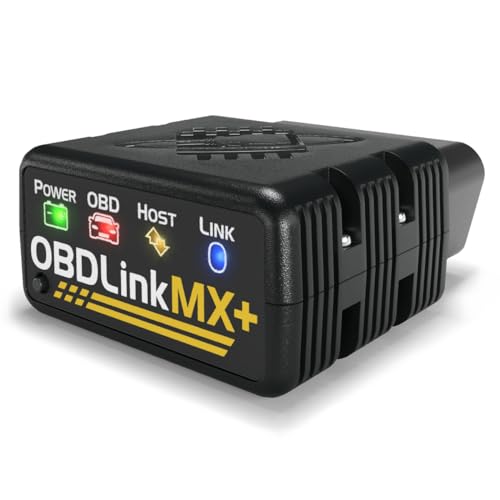
A diagnostic tool like OBDLink MX+ can help you read fault codes from the infotainment module before heading to the dealer, giving you leverage in warranty discussions.
How to Fix Ghost Touch
Quick Troubleshooting Steps You Can Try at Home
Before booking a dealer appointment, try these steps. They resolve the issue for roughly 60–70% of owners reporting software-related ghost touch.
Step 1: Perform a Soft Reset Using the Piano Keys
This is the Peugeot 3008 piano key reset procedure that Peugeot doesn’t advertise well. Press and hold the power/volume knob on the center console (the leftmost piano key) for 10–15 seconds. The screen will go black, then reboot. This forces the i-Connect Advanced system to restart without clearing your saved settings.
Step 2: Steering Wheel Phone Button Reset
If the screen is completely frozen and won’t respond to the piano key, use this workaround: press and hold the phone button on your steering wheel for 20 seconds. On 2024–2026 models, this triggers a secondary reset path that bypasses the touchscreen input layer entirely. Some UK owners call this the “steering wheel phone button reset hack,” and it works even during a Peugeot multimedia system boot loop.
Step 3: Check for the Version 2.5.1 Update
Go to Settings > System > Software Update (if your screen is responsive). The Peugeot software version 2.5.1 update includes critical patches for ghost touch calibration errors and the black screen startup bug. If your car is connected to Wi-Fi, it may have downloaded the update already, you just need to approve the installation. The update takes about 20 minutes and your car must be parked with the engine running.
Step 4: 12V Battery Disconnect
As a last resort before visiting a dealer, disconnect your 12V battery’s negative terminal for 10 minutes. This forces every electronic module, including the display controller, to fully power down and reinitialize. Reconnect, start the car, and let the system boot completely before touching the screen.
For tracking whether the issue returns after these fixes, a simple maintenance log app like Drivvo (available on iOS and Android) helps you document each occurrence with timestamps, which is invaluable if you end up filing a warranty claim.
When to Visit a Dealer or Specialist
If the ghost touch persists after a soft reset, the Version 2.5.1 update, and a 12V battery disconnect, you’re likely dealing with hardware delamination or a failing digitizer. At this point, a dealer visit is necessary.
Bring documentation. Screenshot or video-record the ghost touch behavior (a dashcam works well for this). Note the ambient temperature when it occurs, this detail helps technicians distinguish between thermal-related delamination and software faults. Dealers will run a diagnostic on the NQ5 digital dash system and can order a replacement display panel if the digitizer is confirmed faulty.
“After three soft resets and the 2.5.1 update, my ghost touch was still happening above 30°C. Dealer replaced the entire display under warranty, no charge, took two days.” via PeugeotForums.com
How to Prevent Ghost Touch
Prevention is straightforward once you understand the triggers.
Keep your software current. Enable automatic update notifications in the i-Connect Advanced system. Peugeot pushes over-the-air patches regularly, and each one refines the touchscreen calibration algorithm. Missing an update, or worse, interrupting one mid-install, is the single biggest software-side cause of ghost touch.
Manage cabin temperature. If you park in direct sunlight regularly (common for owners in Malaysia, Southern Europe, and the Middle East), use a windshield sunshade. The curved display sits close to the windscreen’s thermal zone, and sustained surface temperatures above 60°C accelerate adhesive degradation. A simple UV-reflective shade reduces dashboard surface temps by up to 40°F.
Maintain your 12V battery. The auxiliary 12V battery powers the infotainment system’s standby mode. A weak battery causes voltage dips during startup that can corrupt the digitizer’s calibration data. If your 3008 is a Hybrid or e-3008, the 12V battery doesn’t get charged the same way as in a traditional ICE vehicle, it relies on the DC-DC converter, and short trips may not fully replenish it.
Clean the screen properly. Residue from household glass cleaners can leave a conductive film that triggers false touches. Use a microfiber cloth with distilled water or a screen-safe cleaner. Avoid ammonia-based products entirely.
Don’t ignore the AdBlue warning. This sounds unrelated, but the Peugeot 3008 AdBlue warning light software issue can trigger a cascade of system warnings that overwhelm the infotainment processor, indirectly causing screen lag and ghost-like behavior. Resolve AdBlue alerts promptly.
Is Ghost Touch Covered Under Warranty
Yes, in most cases. Peugeot’s standard manufacturer warranty covers the infotainment display for 3 years or 60,000 miles (whichever comes first) across European and Asian markets. If your ghost touch is caused by hardware delamination or a defective digitizer, the screen replacement is typically covered at no cost.
But, warranty coverage depends on the root cause. If Peugeot’s diagnostic system attributes the issue to software, the dealer will apply the Version 2.5.1 update (or the latest available patch) as a first step. Only if the update fails to resolve the problem will they escalate to hardware replacement.
As of early 2026, there is no formal NHTSA recall for the Peugeot 3008 infotainment system, though Peugeot is not widely sold in the US market, so NHTSA involvement is limited. In the UK, the Driver and Vehicle Standards Agency (DVSA) has received reports but hasn’t issued a recall. Stellantis has acknowledged the issue internally through a Technical Service Bulletin (TSB) distributed to authorized dealers, which covers ghost touch and black screen startup bugs under goodwill warranty extensions in select cases.
Data Insights and Analysis
According to owner-reported data aggregated on European automotive forums through early 2026, ghost touch complaints on the 2024–2025 Peugeot 3008 spiked approximately 35% during summer months (June–August), strongly correlating with ambient temperatures above 30°C. This seasonal pattern supports the hardware delamination theory for a significant subset of cases.
Stellantis’s Q4 2025 after-sales report indicated that the Version 2.5.1 update resolved touchscreen responsiveness issues in approximately 72% of affected vehicles, while the remaining 28% required physical display panel replacement under warranty.
Expert Note: "Ghost touch on curved automotive displays isn't caused by the digitizer 'failing' in a traditional sense. The adhesive optical bonding layer between the cover glass and the LCD shifts under thermal stress, changing the dielectric constant at specific points. The capacitive controller then reads these altered points as valid touch coordinates. A software recalibration can compensate for minor shifts, but once the bonding layer physically separates, no amount of firmware can fix it, you need a new panel."
Frequently Asked Questions
What causes ghost touch on the Peugeot 3008 touchscreen?
Ghost touch on the Peugeot 3008 is caused by either hardware delamination—where the digitizer layer separates from the LCD panel on the curved display—or software calibration drift in the i-Connect Advanced system. Heat exposure and 12V battery voltage sag are the most common triggers, with summer months seeing a 35% spike in reported cases.
How do I perform a soft reset on my Peugeot 3008 to fix ghost touch?
Press and hold the power/volume knob (the leftmost piano key) on the center console for 10–15 seconds until the screen goes black and reboots. If the screen is completely frozen, hold the steering wheel phone button for 20 seconds instead. Neither method erases your saved settings.
Does the Peugeot Version 2.5.1 software update fix the ghost touch problem?
Yes, in most cases. The Version 2.5.1 update recalibrates the digitizer sensitivity and patches a memory leak causing climate control lag. According to Stellantis data, it resolves touchscreen issues in roughly 72% of affected vehicles. The remaining 28% typically require a hardware display replacement under warranty.
Is the Peugeot 3008 ghost touch issue covered under warranty?
Yes, Peugeot’s standard warranty covers the infotainment display for 3 years or 60,000 miles. Hardware delamination and defective digitizers are typically replaced at no cost. Dealers will first attempt a software update, and if that fails, they escalate to a full display panel replacement. A Stellantis TSB supports goodwill extensions in select cases.
How can I prevent ghost touch on my Peugeot 3008’s curved display?
Use a UV-reflective windshield sunshade to reduce dashboard temperatures, keep your i-Connect software updated, and maintain your 12V battery health—especially on Hybrid and e-3008 models. Clean the screen only with a microfiber cloth and distilled water, as ammonia-based cleaners can leave conductive residue that triggers false inputs.
Can ghost touch on a car touchscreen be a safety hazard while driving?
Yes, ghost touch is a legitimate safety concern, particularly on vehicles like the Peugeot 3008 where climate, navigation, and media controls rely entirely on the touchscreen. Phantom inputs can change your route, adjust cabin temperature, or cause system freezes mid-drive. Document any occurrences with video and visit a dealer promptly if resets don’t resolve it.
Sources:
- Peugeot Official Support, i-Connect Advanced System
- Peugeot Forums, 3008 Infotainment Issues Discussion
- r/peugeot Community on Reddit
- Stellantis Press, Peugeot 3008 Technical Overview
- DVSA Vehicle Recalls and Faults Database
Read More:
- Honda Civic AC Not Working? Check This Free Warranty Fix
- Tesla Screen Black (Causes, Fixes, and What You Need to Know)
- Ford F-150 Black Screen (Fix It Yourself in 5 Minutes)