
Your Ford F-150’s infotainment screen just went completely dark. No backup camera, no navigation, no climate controls.
The Ford F-150 black screen glitch is typically caused by a Sync 4 software crash, a failed Over-The-Air (OTA) update, or an Accessory Protocol Interface Module (APIM) malfunction, and in most cases, you can fix it yourself with a hard reset or battery disconnect without waiting weeks for a dealer appointment. The issue spans multiple model years, with the 2021–2023 trucks being hit hardest.
Let’s walk through exactly what’s happening inside your APIM, why it fails, and the specific step-by-step procedures to get your screen back online today.

Best Bluetooth OBD2 Scanner
Detect 39,000+ Issues With Enhanced Codes. Save $1000s on car repairs & buying used vehicles by diagnosing problems yourself.
Shop on Amazon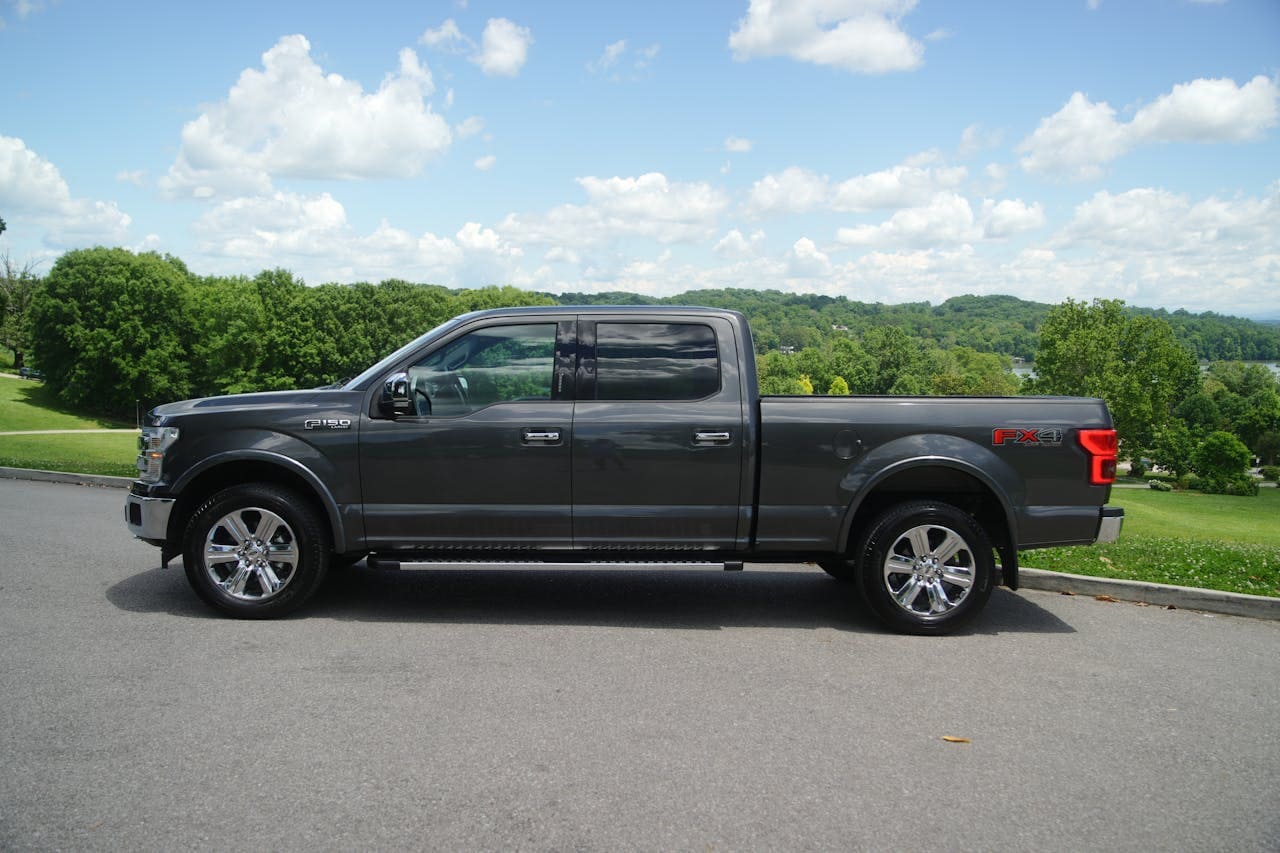
What Is the Ford F-150 Black Screen Glitch?
The black screen glitch refers to a complete failure of the Ford F-150’s center touchscreen display. Your Sync 4 system, which controls navigation, audio, climate, Apple CarPlay, Android Auto, and the backup camera, goes entirely unresponsive. The screen stays black or frozen, sometimes flickering briefly before dying again.
Think of your Sync 4 unit as a dedicated Android tablet running Ford’s proprietary software layer. It has its own processor, RAM, and flash storage. The APIM (Accessory Protocol Interface Module) serves as the brain behind this system. It processes every input from your screen taps to your steering wheel controls. When the APIM encounters a cache overflow, a corrupted update file, or a voltage irregularity, it crashes, just like a laptop hitting a blue screen of death.
The frustrating part? Your truck runs perfectly fine mechanically. The engine, transmission, and drivetrain don’t care that Sync 4 is down. But you lose access to critical features like your rearview camera display, trailer brake controller interface, and even basic radio functions. For many drivers, that makes the truck feel borderline unsafe to operate.
As one F-150 owner on F150gen14.com put it:
“My screen went black on a road trip 400 miles from home. No GPS, no backup cam, nothing. I felt like I was driving a 1995 truck.”
Common Causes of the Black Screen Issue
Software and Firmware Failures
The most frequent culprit behind the black screen glitch is a failed or incomplete OTA update. Ford pushes Sync 4 updates remotely, and if your truck loses cellular signal mid-download, or if the battery voltage dips during installation, the update can partially write to the APIM’s flash memory. This leaves the system in a corrupted state where it can’t fully boot.
Cache overflow is another common trigger. Your Sync 4 system stores temporary data from navigation routes, Bluetooth device pairings, app states, and media indexing. Over time, this cache can bloat beyond what the system handles gracefully. The APIM runs out of available working memory and locks up.
Ford’s own technical service bulletins have acknowledged software version mismatches where the APIM firmware and the screen’s display module firmware fall out of sync. When these two components can’t handshake properly during boot, you get a black screen. This is particularly common after a dealer performs a partial update without flashing both modules.
Finally, some owners report the glitch occurring after connecting a new phone via Bluetooth or plugging in a USB device with an incompatible file system. The Sync 4 system attempts to index media files, encounters an error, and crashes during the process.
Hardware and Electrical Problems
Not every black screen is a software issue. The APIM itself can physically fail. These modules contain soldered connections and capacitors that degrade over time, especially in trucks exposed to extreme heat or cold. A failing APIM often shows intermittent symptoms, the screen may work some days and fail others, before going permanently dark.
Voltage drops also cause problems. Your F-150’s electrical system delivers 12V to the APIM through a dedicated circuit. If your battery is aging, if a ground connection has corroded, or if an aftermarket accessory is drawing excessive current, the APIM may not receive stable power. Even a brief voltage sag during startup can prevent the system from booting.
Here’s a quick comparison of software versus hardware symptoms:
| Symptom | Software Cause | Hardware Cause |
|---|---|---|
| Screen black on startup | Corrupted update or cache | Failing APIM or bad fuse |
| Intermittent flickering | Sync 4 software loop | Loose connector or voltage drop |
| Screen works after reset | Almost certainly software | Unlikely hardware |
| Screen stays dead after battery disconnect | Possible deep corruption | Probable APIM failure |
| Audio works but no display | Display firmware mismatch | Screen ribbon cable or LCD failure |
If you’re seeing the bottom row, audio playing with zero screen response, you may have a physically damaged display panel rather than an APIM issue. That distinction matters because replacement costs differ dramatically.
How to Fix the Ford F-150 Black Screen
Quick Resets and DIY Troubleshooting
Start with the Sync 4 soft reset. Press and hold the power button and the right-seek button on your steering wheel simultaneously for 10–15 seconds. This forces the APIM to restart its software layer without cutting power to the module. On many trucks, this alone brings the screen back.
If that doesn’t work, perform a hard battery disconnect. Turn off the truck completely. Open the hood and disconnect the negative battery terminal. Wait a full three minutes, not 30 seconds, not one minute, but three full minutes. This allows the APIM’s internal capacitors to fully discharge and clears any corrupted volatile memory. Reconnect the terminal, start the truck, and give the system up to two minutes to boot.
For a deeper reset, try the master reset through Sync 4’s hidden recovery mode. If your screen shows any response at all, go to Settings > General > Master Reset. This wipes all saved data, pairings, and cached files. You’ll need to re-pair your phone and reconfigure your preferences, but it forces the system to rebuild its software environment from scratch.
Here’s a checklist for systematic troubleshooting:
- Perform the steering wheel button soft reset (power + right seek, hold 15 seconds)
- Disconnect the negative battery cable for three minutes
- Check Fuse #32 in the interior fuse box (APIM power supply)
- Inspect the APIM connector behind the screen for corrosion or loose pins
- Attempt a master reset through Settings if the screen partially responds
- Update Sync 4 via USB drive using Ford’s official update site
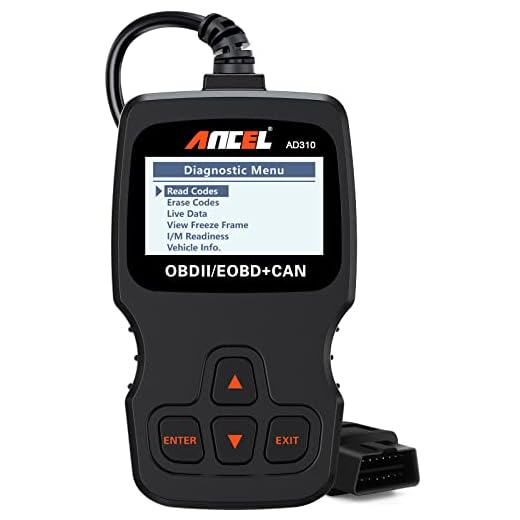
If you want to monitor your truck’s electrical system and catch voltage drops before they cause another crash, the ANCEL AD310 OBD2 Scanner is a solid investment. It reads live battery voltage data and clears diagnostic trouble codes related to the APIM module.
Video Credit: What The Heck Man / YouTube
When to Visit the Dealer
If you’ve exhausted every DIY option and the screen remains dead, the APIM likely needs replacement or reprogramming with Ford’s proprietary IDS (Integrated Diagnostic Software). Dealers use IDS to flash the APIM with the latest calibrated firmware, something you can’t do at home without a licensed subscription.
APIM replacement costs typically run between $800 and $1,500 for parts and labor at a dealership. But, some independent shops now offer APIM reprogramming using tools like ForScan, which can save you significant money if the hardware itself is still functional.
For owners who use their truck as a mobile office and can’t afford downtime waiting for a dealer, the Dasaita 12.3 Inch Android Touchscreen serves as a complete aftermarket replacement for the factory Sync system. It runs full Android, supports wireless CarPlay, and eliminates dependence on Ford’s APIM entirely. It’s the nuclear option, but some owners swear by it.
Which Model Years Are Most Affected?
The 2021, 2022, and 2023 Ford F-150 model years account for the overwhelming majority of black screen complaints. These trucks debuted Ford’s Sync 4 and Sync 4A systems, which represented a massive leap in processing power and screen size, but also introduced new failure modes that the older Sync 3 platform didn’t have.
The 2021 model year was the worst offender. As a first-year rollout of the 14th generation F-150, it shipped with early Sync 4 firmware that had known stability issues. Ford released multiple OTA patches throughout 2021 and 2022, but trucks that missed those updates, or received corrupted versions, continued experiencing failures.
The 2022 and 2023 models improved somewhat. Ford tightened the OTA update process and revised certain APIM hardware components. But the black screen issue never fully disappeared. NHTSA complaint data shows hundreds of filed reports across all three model years, with many owners describing identical symptoms.
Older F-150s running Sync 3 (2018–2020 models) can also experience black screens, though less frequently. Sync 3’s simpler architecture means fewer points of failure. If you drive a 2018–2020 truck with a black screen, the cause is more likely a hardware failure (bad screen or APIM) than a software crash.
The 2024 and 2025 models appear to have the issue mostly under control, though scattered reports still surface. Ford updated the APIM hardware revision and improved the Sync 4 update delivery mechanism, reducing, but not eliminating, the problem.
Is There a Recall or Technical Service Bulletin?
Ford has not issued a formal safety recall for the black screen glitch. Because the issue doesn’t directly affect steering, braking, or engine operation, NHTSA has not compelled a recall action, even though the loss of the backup camera display arguably creates a safety concern.
But, Ford has released several Technical Service Bulletins (TSBs) addressing Sync 4 screen failures. TSB 22-2354 specifically covers intermittent blank or black screen conditions on 2021–2023 F-150 trucks. This TSB instructs dealers to reprogram the APIM with updated firmware. If your truck is still under the factory bumper-to-bumper warranty (3 years / 36,000 miles), this repair should be covered at no cost to you.
Some owners have successfully pushed Ford to cover APIM replacements even outside the standard warranty period. The key is referencing the specific TSB number and demonstrating a pattern of documented complaints. Dealers have discretion to submit goodwill repair requests to Ford’s regional customer service team.
As user “TruckNerd2022” posted on Reddit’s r/f150 community:
“I was 2,000 miles past warranty and Ford still covered my APIM replacement after I showed them the TSB and my three prior service visits for the same issue.”
If Ford denies your warranty claim, file a complaint directly with NHTSA’s Vehicle Safety Hotline. Every filed report adds pressure for a potential future recall investigation. Your complaint becomes part of the public record and helps other owners build their case.
How to Prevent the Black Screen Glitch From Recurring
Prevention starts with keeping your Sync 4 firmware current. Check for updates manually at least once a month through Settings > General > Software Update. Don’t rely exclusively on automatic OTA updates, they can fail silently. Download the latest version from Ford’s owner portal and install via USB if your truck has missed any recent patches.
Maintain your battery health. A weak or aging battery is the silent killer behind many APIM failures. If your battery is more than three years old, test it under load. Replace it proactively rather than waiting for a no-start situation that also fries your electronics.
Clear your Sync 4 cache periodically. Delete old Bluetooth pairings you no longer use. Remove USB drives when you’re not actively playing media. Avoid leaving the truck in accessory mode for extended periods, which keeps the APIM powered without the alternator maintaining proper voltage.
Avoid interrupting OTA updates. If your truck displays an “Update in Progress” message, do not turn off the vehicle, disconnect the battery, or drive away. Let the update complete fully, even if it takes 20–30 minutes. A partially written firmware image is the single most common cause of the black screen glitch.
Finally, if you’ve already experienced the glitch once, document everything. Save your service records, take photos of the black screen with your odometer visible, and note the date and time. This paper trail protects you if the issue recurs and you need warranty support or a goodwill repair down the road.
Frequently Asked Questions
What causes the Ford F-150 black screen glitch?
The Ford F-150 black screen glitch is most commonly caused by a Sync 4 software crash, a failed or incomplete Over-The-Air (OTA) update, or an Accessory Protocol Interface Module (APIM) malfunction. Cache overflow, voltage drops from a weak battery, and firmware mismatches between the APIM and display module are also frequent triggers.
How do I fix a black screen on my Ford F-150?
Start with a soft reset by holding the power button and right-seek steering wheel button for 15 seconds. If that fails, disconnect the negative battery terminal for three full minutes to clear corrupted memory. You can also try a master reset through Settings > General > Master Reset, or update Sync 4 via USB from Ford’s official site.
Which Ford F-150 model years are most affected by the black screen issue?
The 2021, 2022, and 2023 Ford F-150 models are hit hardest, as they were the first to use the Sync 4 and Sync 4A systems. The 2021 model year is the worst offender due to early firmware instability. Older Sync 3 trucks (2018–2020) can also be affected but far less frequently.
Is there a recall for the Ford F-150 black screen glitch?
Ford has not issued a formal safety recall, but Technical Service Bulletin (TSB) 22-2354 specifically addresses intermittent blank or black screen conditions on 2021–2023 F-150s. If your truck is within the 3-year/36,000-mile bumper-to-bumper warranty, the APIM reprogramming should be covered at no cost.
How much does it cost to replace an APIM module in a Ford F-150?
APIM replacement at a Ford dealership typically costs between $800 and $1,500 including parts and labor. However, independent shops using tools like ForScan can reprogram a functioning APIM for significantly less. Some owners have also gotten Ford to cover repairs under goodwill by referencing TSB 22-2354 and documenting repeated failures.
How can I prevent the Ford F-150 black screen from happening again?
Keep your Sync 4 firmware updated manually via USB at least monthly rather than relying solely on OTA updates. Maintain battery health, clear old Bluetooth pairings and cached data periodically, and never interrupt an in-progress OTA update. A battery older than three years should be load-tested and replaced proactively to avoid voltage-related APIM crashes.
Source:
- Ford Recall #23V342 / 23S23 – Rear Camera Blue/Black Image
- F150Gen14 – Sync 4 Screen Troubleshooting Megathread
- Ford Recalls 355K Trucks for Blank Instrument Cluster Displays
- Sync 4 Main Screen Won’t Load – 2024/2025 Fixes
Read More:
- How to Reset Ford F-150 10-Speed Transmission (Explained)
- ADAS System Unavailable (Ford F-150, Chevy & Kia EV6/EV9)
- Ford F-150 Battery Drain (The Definitive Power-Down Guide)