
Few things are more frustrating than walking out to your Honda CR-V on a cold morning, turning the key, and hearing nothing but a weak click. If you’ve been jump-starting your CR-V more than once a month, you’re not alone, this is one of the most common complaints across 2012–2025 model years.
Honda CRV battery drain is most often caused by parasitic draw from a faulty module, a failing alternator, corroded battery cables, or simply an aging battery that can no longer hold a charge. Identifying which culprit is draining your battery saves you from expensive guesswork at the dealership.
This guide walks you through the symptoms, root causes, diagnostic steps, and proven fixes so you can stop chasing ghost electrical faults and get back on the road with confidence.

Best Bluetooth OBD2 Scanner
Detect 39,000+ Issues With Enhanced Codes. Save $1000s on car repairs & buying used vehicles by diagnosing problems yourself.
Shop on Amazon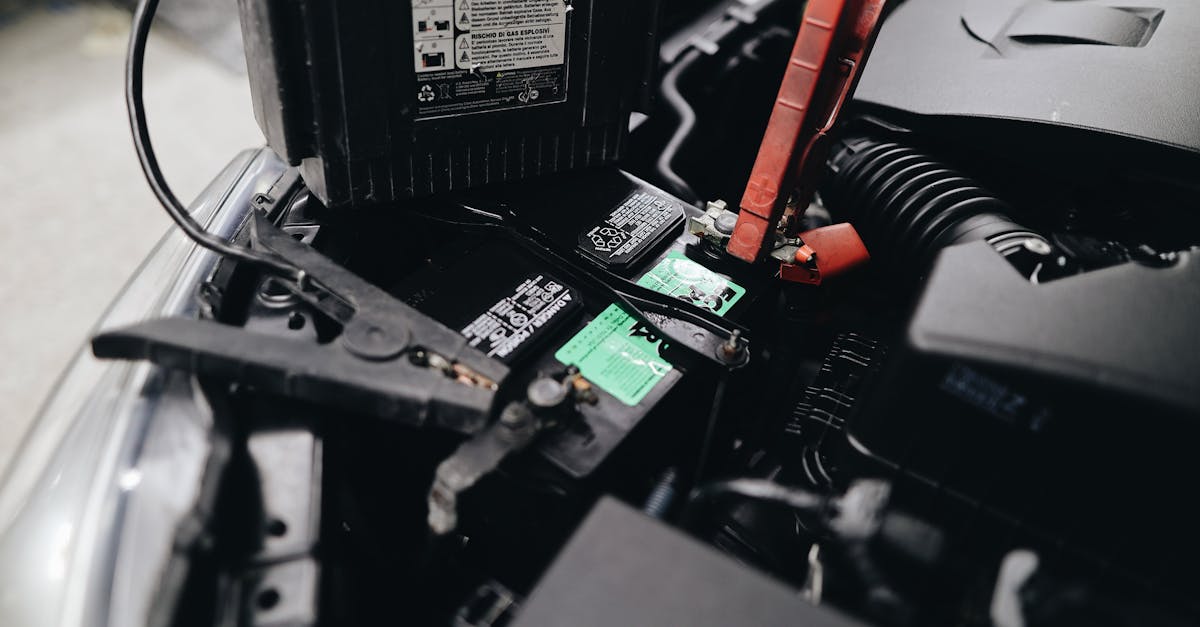
Key Takeaways
- Honda CR-V battery drain is most commonly caused by parasitic draw, failing alternators, corroded cables, or aging batteries—identifying the culprit saves expensive dealership guesswork.
- Perform a DIY parasitic draw test using a multimeter set to DC amps: readings above 50mA indicate excessive drain, and pulling fuses one at a time pinpoints the faulty circuit.
- Check alternator output (13.5–14.5V at engine idle), inspect battery terminals for corrosion, and test battery voltage seasonally to catch problems before they strand you.
- Replace the battery with a 500+ CCA Group 51R battery, clean corroded terminals with baking soda and a wire brush, and apply dielectric grease to prevent future corrosion.
- Preventive maintenance—including 20-minute minimum drive trips, six-month terminal cleanings, and using a battery maintainer during storage—keeps your CR-V’s charging system healthy long-term.
Battery drain in the Honda CR-V isn’t a single problem, it’s a symptom that points to several possible failures. The 2017–2020 models, in particular, have drawn widespread attention. One frustrated owner on the CR-V Owners Club forum wrote: “I’ve replaced the battery twice in 18 months. Every morning it’s a coin flip whether my car will start.”
Whether you drive a fifth-gen turbo or an older naturally aspirated model, the diagnostic process is largely the same. Below, you’ll learn how to spot the warning signs, test for parasitic draw yourself, and apply targeted fixes that actually last.
Recognizing Signs of Battery Drain
Catching battery drain early prevents you from getting stranded. Here are the four most common warning signs CR-V owners report.
Difficulty Starting the Engine
A slow, labored crank is the classic red flag. Your starter motor needs roughly 100–200 amps to turn the engine over, and a drained battery simply can’t deliver that. If you notice the engine cranks slower than usual, especially after the car has sat overnight, your battery voltage is likely dropping below the healthy 12.4V threshold while the vehicle is off.
Dim or Flickering Lights
Your headlights and interior lights draw power directly from the battery when the alternator isn’t compensating. Dim headlights at idle or flickering dome lights when you open the door suggest the battery’s state of charge is low. Don’t ignore this sign, as it often appears days before a complete no-start condition.
Malfunctioning Electrical Accessories
Infotainment resets, clock resets, erratic power window behavior, and unresponsive key fobs all point to insufficient voltage. The Honda CR-V’s Body Control Module (BCM) is sensitive to voltage drops. When voltage dips below 11.8V, accessories start behaving unpredictably.
Dashboard Warning Lights
A battery-shaped icon or a “Check Charging System” message on your dashboard is a direct alert. Some CR-V owners also see the ABS and VSA lights illuminate simultaneously when voltage drops. These warnings deserve immediate attention, they indicate your charging system or battery is actively failing.
Understanding Causes of Drain
Once you’ve recognized the symptoms, you need to understand what’s actually pulling the power. Here are the four primary causes.
Parasitic Draw and Parasitic Drain
Every modern vehicle draws a small amount of current when off, typically 20–50 milliamps for modules like the alarm and keyless entry. A parasitic drain exceeding 50mA indicates something isn’t shutting down properly. On the CR-V, common offenders include the Bluetooth/HandsFreeLink module, the infotainment unit, and aftermarket accessories wired directly to the battery. According to Honda’s Technical Service Bulletins, several model years have known software-related drain issues.
Faulty Alternator and Charging Issues
Your alternator should output 13.5–14.5V while the engine runs. A failing alternator won’t fully recharge the battery during drives, creating a slow death spiral. Worn brushes, a bad voltage regulator, or a slipping serpentine belt can all reduce charging output. Short trips compound the problem because the alternator never gets enough runtime to restore the battery fully.
Worn or Faulty Battery Cables
Corrosion on battery terminals creates resistance. That resistance reduces both charging efficiency and the current available to your starter. Green or white buildup on your CR-V’s terminals is a clear visual indicator. Loose cable connections produce the same effect and can cause intermittent no-start conditions that feel random.
Aging or Failing Battery
Most car batteries last 3–5 years. Honda’s OEM batteries are no exception. Internal plate degradation reduces capacity over time, and a battery that tests fine at the parts store may still fail under load in cold weather. If your CR-V’s battery is over three years old and you’re experiencing drain symptoms, age is a prime suspect.
| Cause | Typical Symptom | DIY Fix Possible? |
|---|---|---|
| Parasitic draw | Dead battery overnight | Yes (with multimeter) |
| Faulty alternator | Dim lights at idle | Moderate |
| Corroded cables | Intermittent no-start | Yes |
| Aging battery | Slow crank in cold weather | Yes (replacement) |
How to Diagnose Battery Drain
You don’t need a dealership to find the problem. A basic multimeter and some patience go a long way.
Performing a Parasitic Draw Test
Set your multimeter to the DC amps setting (10A or 20A range). Disconnect the negative battery cable and connect the multimeter in series between the cable and the negative terminal. Wait at least 15 minutes for all modules to enter sleep mode. A reading above 50mA signals excessive draw. Then pull fuses one at a time until the reading drops, the circuit on that fuse is your culprit.
A quality multimeter makes this job much easier. The Fluke 117 Electricians True RMS Multimeter is a reliable choice that handles automotive diagnostics well.

Testing Alternator Functionality
With the engine running, place your multimeter probes on the battery terminals and set it to DC voltage. You should read 13.5–14.5V. Rev the engine to 2,000 RPM, the voltage should remain steady. If it drops below 13V or spikes above 15V, your alternator or voltage regulator needs attention.
Inspecting Battery Connections
Visually inspect both terminals for corrosion. Wiggle each cable connection, any movement means it’s loose. Clean terminals with a wire brush and a baking soda solution. Tighten connections firmly. This simple step resolves more “mystery drain” cases than most people expect.
Identifying Faulty Electrical Components
If your parasitic draw test points to a specific fuse circuit, trace every component on that circuit. On the CR-V, common problem circuits include:
- Fuse #23 (interior lights / dome light switch)
- Fuse #38 (audio/navigation unit)
- Fuse #8 (Bluetooth/HandsFreeLink module)
- Aftermarket alarm or remote start systems
For ongoing monitoring, consider a tool like FIXD OBD2 Scanner, it connects to your phone and tracks battery voltage, check engine codes, and charging system health in real time. It’s a worthwhile investment for any DIY mechanic.
Effective Solutions and Preventive Maintenance
Now that you’ve found the source, here’s how to fix it and keep it from coming back.
Battery Replacement and Choosing the Right Battery
The Honda CR-V uses a Group 51R battery. Stick with a battery rated at 500+ CCA (cold cranking amps) for reliable starts in all climates. The ACDelco Gold 51RAGM Battery is a solid AGM option that resists vibration and handles repeated deep discharges better than standard flooded batteries, a smart pick if parasitic drain has been killing your batteries.
Repairing or Replacing Battery Cables
If your cables show heavy corrosion or fraying, replacement is the best path. OEM cables from Honda run $30–$80 per cable. Aftermarket options work fine too. Apply dielectric grease to the terminals after installation to slow future corrosion. This is a 20-minute job with basic hand tools.
Addressing Parasitic Draw Issues
Once you identify the offending circuit, the fix varies. A misbehaving HandsFreeLink module may need a software update from the dealer, Honda has released updates for specific model years. Aftermarket accessories should be rewired through an ignition-switched circuit so they power down when the vehicle is off. In stubborn cases, adding an inline disconnect switch gives you a manual kill option.
As one Redditor shared in r/MechanicAdvice: “Traced my CR-V’s drain to the Bluetooth module. Honda reflashed it for free under warranty. Battery has been perfect since.”
Preventive Tips to Avoid Future Battery Draining
Keep your battery healthy long-term with these habits:
- Drive at least 20 minutes per trip to let the alternator fully recharge the battery
- Clean battery terminals every 6 months with a wire brush
- Test your battery’s voltage seasonally with a multimeter
- Avoid leaving accessories plugged into 12V outlets when the engine is off
- If you park your CR-V for extended periods, use a NOCO GENIUS1 Battery Maintainer to keep the battery topped off, it’s the ultimate hardware solution for preventing drain during storage

Staying proactive with these steps means fewer surprise dead batteries and more reliable mornings with your CR-V.
Frequently Asked Questions
What causes Honda CR-V battery drain?
Honda CR-V battery drain is typically caused by parasitic draw from faulty modules, a failing alternator, corroded battery cables, or an aging battery. The 2017–2020 models are particularly prone to drain issues. Common culprits include the Bluetooth module, infotainment unit, and aftermarket accessories wired directly to the battery.
How do I test for parasitic draw on my CR-V?
Set your multimeter to DC amps (10A or 20A range), disconnect the negative battery cable, and connect the multimeter in series. Wait 15 minutes for modules to sleep. A reading above 50mA signals excessive drain. Pull fuses one at a time to identify the problematic circuit causing the battery drain.
What are the warning signs of battery drain in a Honda CR-V?
Common signs include slow engine cranking, dim or flickering headlights, malfunctioning electrical accessories (infotainment resets, erratic power windows), and dashboard warning lights. These symptoms indicate your battery voltage is dropping below the healthy 12.4V threshold when the vehicle is off.
Can a failing alternator cause battery drain?
Yes. A failing alternator outputs less than the normal 13.5–14.5V needed to fully recharge your battery while driving. Worn brushes, bad voltage regulators, or a slipping belt reduce charging output, creating a slow death spiral where your battery never fully recharges, especially during short trips.
How long does a Honda CR-V battery typically last?
Most car batteries, including Honda’s OEM batteries, last 3–5 years. Internal plate degradation reduces capacity over time. If your CR-V’s battery is over three years old and you’re experiencing drain symptoms, age is likely a prime suspect and replacement may be necessary.
What preventive maintenance can stop future battery drain issues?
Drive at least 20 minutes per trip to let the alternator recharge fully, clean battery terminals every 6 months, test voltage seasonally, and avoid leaving 12V accessories plugged in when off. Use a battery maintainer during extended storage to keep your battery topped off and prevent drain.
Read More:
- Honda CRV Carplay Not Working (Causes and Solutions)
- Honda Civic AC Not Working? Check This Free Warranty Fix
- Honda CRV Screen Black (Reasons and Troubleshooting)