
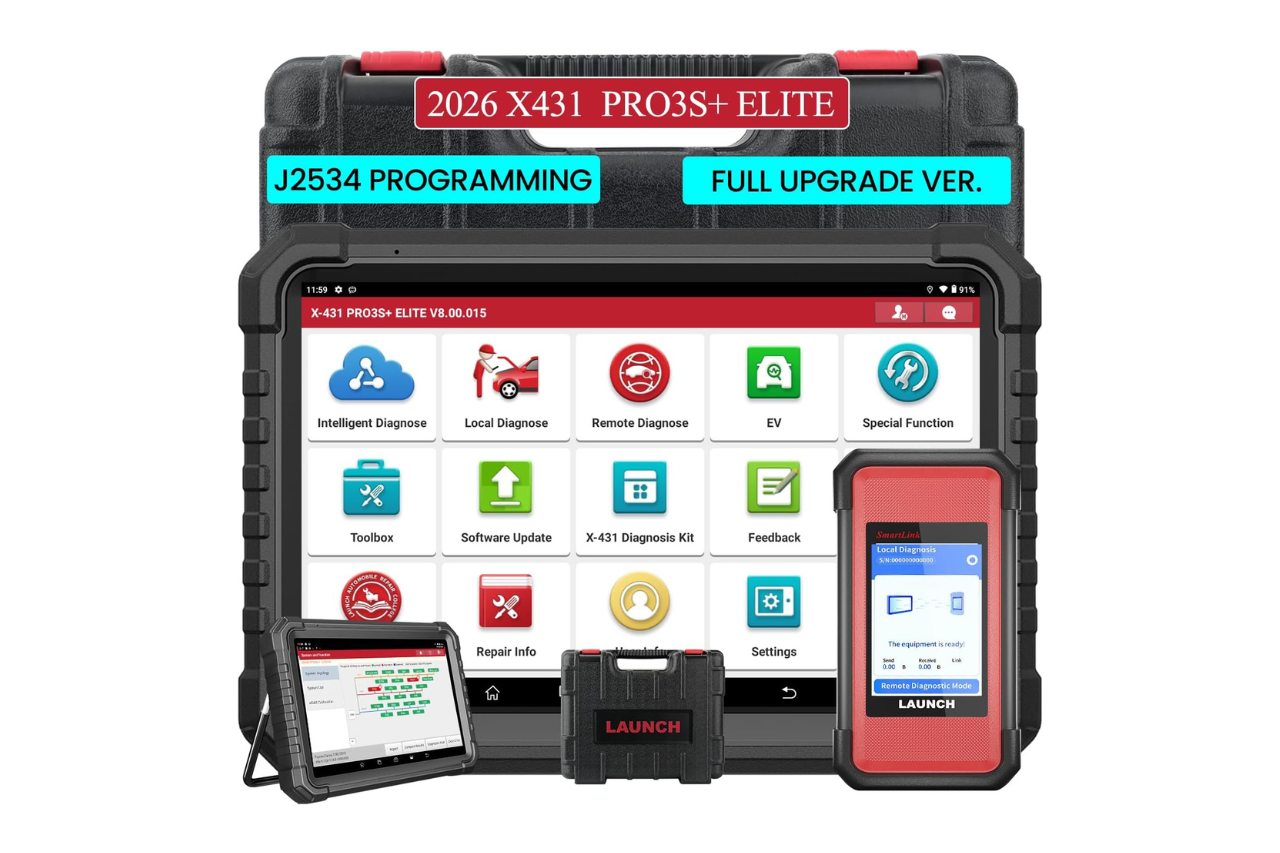
If you’re running a professional shop in 2026, you already know that basic code readers won’t cut it anymore. CAN FD, DoIP, and topology-based diagnostics aren’t optional, they’re the baseline. So does the LAUNCH X431 PRO3S+ Elite actually deliver OE-level power?
After months of stress-testing the X431 PRO3S+ Elite across a mix of European, Asian, and domestic vehicles, including several EVs and a handful of 24V commercial rigs, I can say this is the most capable mid-tier professional scan tool LAUNCH has ever shipped. Its 10.1-inch display, 4GB RAM, SmartLink C V2.0 J2534 programming, and Intelligent Topology Mapping put it in direct competition with tools that cost significantly more. If you need bidirectional control, advanced ECU coding, and CAN FD/DoIP protocol support without paying dealership-tool prices, this scanner deserves serious consideration.
Key Takeaways
- The LAUNCH X431 PRO3S+ Elite delivers OE-level diagnostic power for independent shops with CAN FD, DoIP, and J2534 programming support without dealership-tool pricing.
- Intelligent Topology Mapping provides a real-time visual network of every vehicle module, reducing diagnostic time by 50–70% compared to traditional serial scanning methods.
- Dual 12V/24V voltage support eliminates the need for separate scanners, making the PRO3S+ Elite versatile for mixed-fleet shops handling light-duty cars and heavy-duty commercial rigs.
- The tablet’s 4GB RAM and octa-core processor handle memory-intensive tasks like live data graphing and ECU coding reliably, outperforming older 2GB RAM scanners.
- Two years of free software updates covering new vehicle models, protocol upgrades, and firmware patches significantly reduce long-term ownership costs compared to competing platforms.
- Bidirectional control and FCA AutoAuth bypass capabilities enable in-house ECU programming and security gateway functions, saving independent shops costly dealer visits.

Best Bluetooth OBD2 Scanner
Detect 39,000+ Issues With Enhanced Codes. Save $1000s on car repairs & buying used vehicles by diagnosing problems yourself.
Shop on AmazonWhat Comes in the Box and First Impressions
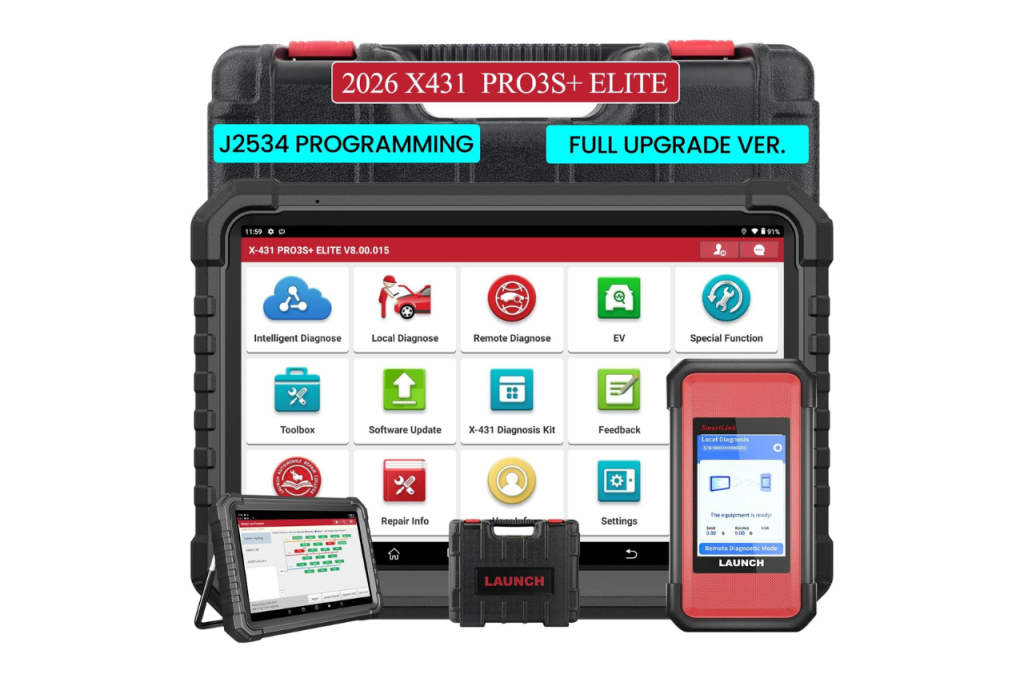
LAUNCH packages the PRO3S+ Elite in a hard-shell carrying case that actually protects the tablet during transport. Inside, you’ll find the 10.1-inch Android tablet, the SmartLink C V2.0 VCI connector, a full set of OBD-II adapters, USB and charging cables, and a quick-start guide. The case has molded cutouts for everything, which is a small detail that matters when you’re tossing it in the back of a service truck.
First impressions are strong. The tablet feels solid without being bulky, and the SmartLink C connector is noticeably smaller than the older VCI boxes LAUNCH used on earlier X431 models. Setup took me about 15 minutes, register the device, link the VCI via Bluetooth, download your vehicle software packages, and you’re scanning. LAUNCH includes 2 years of free software updates out of the box, which covers new vehicle models, protocol updates, and firmware patches. That alone eliminates one of the biggest recurring costs technicians face with competing platforms.
For a complementary workspace upgrade, a tablet stand with adjustable height keeps your PRO3S+ Elite at eye level while you work under the hood.
Hardware Design, Build Quality, and Display
The PRO3S+ Elite runs on a professional scan tool with 4GB RAM and 64GB storage, powered by an octa-core processor. That hardware spec matters because topology mapping, live data graphing, and ECU coding are memory-intensive tasks. Older scanners with 2GB RAM choke on these functions, this one doesn’t.
The 10.1-inch IPS display is bright enough to read in direct sunlight, which I confirmed while diagnosing a Ford Maverick hybrid in an open parking lot. Touch response is accurate, and the screen handles multi-finger gestures for zooming into wiring diagrams. Build quality is above average for this segment: the rubberized edges absorb drops, and the ports feel reinforced.
As a 12V and 24V vehicle diagnostic tool, the PRO3S+ Elite handles both light-duty cars and heavy-duty commercial vehicles through the same VCI. You don’t need separate hardware for a Freightliner and a Camry. That dual-voltage versatility is a genuine differentiator for mixed-fleet shops.
Here’s a quick look at the LAUNCH X431 PRO3S+ Elite hardware specs:
- Display: 10.1-inch IPS touchscreen
- Processor: Octa-core
- RAM / Storage: 4GB / 64GB
- VCI: SmartLink C V2.0 (Bluetooth + USB)
- Protocols: CAN FD, DoIP, J2534
- Battery: 7000mAh
- Voltage Support: 12V and 24V
Vehicle Coverage and Software Capabilities
This is an OE-level all system diagnostic scanner that covers over 150 vehicle brands according to LAUNCH’s official product page. Coverage spans domestic, European, Asian, and select commercial platforms. The software handles all-system diagnostics, engine, transmission, ABS, SRS, TPMS, body, chassis, and more, with live data, freeze frame, and DTC lookup.
Where the PRO3S+ Elite separates itself is CAN FD and DoIP protocol support. Late-model GM vehicles (2023+), BMW, and several Hyundai/Kia platforms now require CAN FD for full communication. Without it, your scanner simply won’t talk to certain modules. DoIP coverage is equally critical for Jaguar Land Rover and newer VAG Group vehicles.
The guided functions for VAG Group vehicles are a highlight. LAUNCH provides step-by-step procedures for common service resets, adaptation values, and module configuration on Audi, VW, Skoda, and SEAT platforms. FCA AutoAuth for late-model Chrysler Jeep vehicles is also supported, which means you can perform security gateway bypass on 2018+ Stellantis vehicles without a dealer subscription.
Key programming and IMMO service functions round out the software package. You can add keys, program remotes, and reset immobilizer systems on a wide range of makes. LAUNCH X431 PRO3S+ Elite battery reset BMS functions are included too, covering registration and calibration for BMW, Mercedes, and Ford platforms.
For keeping your diagnostic software environment stable, a reliable USB-C docking station can help manage charging and data connections at your workstation.
Advanced Diagnostics: Bi-Directional Control and Coding
Bi-directional control active tests on the LAUNCH PRO3S+ Elite let you command individual actuators directly from the tablet. Need to cycle an EVAP purge valve, activate a fuel injector, or force a coolant fan on? You do it from the screen without backprobing wires or jumping relays. For EV and hybrid work, this means you can command high-voltage contactors, test inverter cooling pumps, and verify regenerative braking actuators, all critical for diagnosing systems you can’t safely probe by hand.
LAUNCH X431 PRO3S+ Elite ECU coding features go beyond basic parameter changes. The SmartLink C V2.0 J2534 programming guide built into the software walks you through online ECU programming (pass-thru) for supported makes, which means you can flash factory firmware to replacement modules without a dealer visit. This is especially valuable for independent shops replacing body control modules or TCMs on late-model vehicles.
LAUNCH X431 PRO3S+ Elite topology mapping is the feature that surprised me most. Intelligent Topology Mapping gives you a visual map of every module on the vehicle’s network, color-coded by communication status. Green means healthy, red means fault, gray means no response. Instead of guessing which module is pulling down a CAN bus, you see the problem immediately. On a 2024 BMW X5 with an intermittent communication fault, topology mapping identified a failing FRM module in under 30 seconds, a diagnosis that would have taken significantly longer with traditional methods.
Here’s a solid overview of the PRO3S+ Elite’s diagnostic capabilities in action:
Real-World Performance and Speed
Boot time from power-on to scan-ready is roughly 35 seconds. Full system scans on most vehicles complete in 60–90 seconds, which is competitive with scanners in higher price brackets. The 4GB RAM keeps the interface responsive even when you’re running live data streams alongside topology views.
“Switched from an older X431 V+ to the PRO3S+ Elite and the speed difference is night and day. Topology map loads in seconds and the Bluetooth connection to the VCI is rock solid.” via r/MechanicAdvice
Bluetooth range between the tablet and SmartLink C VCI held steady at about 30 feet in my shop, which is enough to walk around a vehicle while monitoring live data. I did notice occasional lag when downloading large software packages over Wi-Fi, but that’s a network issue, not a hardware limitation.
“Used the PRO3S+ Elite for FCA SGW bypass on a 2022 Grand Cherokee L. Worked first try without needing AutoAuth subscription. Saved me a trip to the dealer.” via r/autorepair
Pro & Cons
What Works Well
The topology mapping alone justifies the upgrade from older LAUNCH models. CAN FD and DoIP support means you won’t hit a wall on 2024–2026 vehicles. The 2-year free update window is generous, and the 12V/24V dual-voltage support eliminates the need for a separate heavy-duty scanner. Bidirectional controls work reliably across most tested platforms, and J2534 pass-thru programming performed without issue on Ford and GM modules.
Where It Falls Short
The LAUNCH X431 PRO3S+ Elite subscription cost after the initial 2-year free period is a recurring expense you need to budget for. Some advanced coding functions for Mercedes and BMW still lag behind what you’d get with ISTA or Xentry. The 64GB internal storage fills up fast if you download every vehicle package, you’ll want to be selective. And while the Android OS is functional, it occasionally shows its age with minor UI stutters during heavy multitasking.
How It Compares to Competing Professional Scan Tools
The LAUNCH X431 PRO3S+ Elite vs PRO5 comparison comes up frequently. The PRO5 offers a slightly larger screen and more RAM, but the PRO3S+ Elite delivers nearly identical diagnostic depth at a lower entry point. For most independent shops, the PRO3S+ Elite covers 95% of what the PRO5 does.
Here’s how it stacks up against the competition:
| Feature | LAUNCH X431 PRO3S+ Elite | Autel MaxiSys Ultra | LAUNCH X431 PRO5 |
|---|---|---|---|
| Display | 10.1″ IPS | 12.9″ AMOLED | 10.1″ IPS |
| RAM / Storage | 4GB / 64GB | 4GB / 256GB | 8GB / 128GB |
| Topology Mapping | Yes | Yes | Yes |
| CAN FD + DoIP | Yes | Yes | Yes |
| J2534 Programming | Yes (SmartLink C) | Yes (MaxiFlash VCI) | Yes (SmartLink C) |
| 12V + 24V Support | Yes | Yes | Yes |
| Free Update Period | 2 Years | 1 Year | 2 Years |
| FCA AutoAuth | Supported | Supported | Supported |
The Autel MaxiSys Ultra offers a larger screen and more storage, but its 1-year free update window means higher long-term costs. The PRO3S+ Elite hits a sweet spot between capability and value that’s hard to beat in this segment.
Data Insights and Analysis
According to a 2025 LAUNCH Tech USA report, CAN FD and DoIP protocol adoption among new vehicle platforms increased by over 60% between 2023 and 2025, making scanner support for these protocols essential rather than optional. Also, independent repair shops performing ECU programming in-house grew by an estimated 35% year-over-year in 2025, driven largely by affordable J2534 tools like the PRO3S+ Elite.
Expert Note: "Topology mapping isn't just a convenience feature, it's a fundamental shift in diagnostic methodology. Traditional serial scanning checks modules one at a time. Topology mapping queries the entire network simultaneously and visualizes inter-module communication failures. For shops diagnosing intermittent CAN bus faults on vehicles with 40+ modules, this reduces diagnostic time by 50–70% compared to conventional approaches."
Verdict
The LAUNCH X431 PRO3S+ Elite earns its place as a top-tier professional scan tool for independent shops and mobile technicians. Its combination of topology mapping, J2534 programming, CAN FD/DoIP support, and 12V/24V versatility addresses the exact pain points that drive technicians to expensive dealership tools.
You won’t get every single OE-level function that a factory tool provides, but you’ll get close enough to handle 90%+ of the work that walks through your bay doors. If you’ve outgrown your current scanner and need a tool that actually keeps pace with modern vehicle architecture, this is the one to buy.
LAUNCH X431 PRO3S+ Elite, 2026 All-in-One Bidirectional Scan Tool with J2534 Protocols, HD Trucks Scanner, Topology Map, 60+Service, ECU Code Full Function...
Frequently Asked Questions
What are the key features of the LAUNCH X431 PRO3S+ Elite professional scan tool?
The LAUNCH X431 PRO3S+ Elite features a 10.1-inch IPS display, 4GB RAM, 64GB storage, SmartLink C V2.0 J2534 programming, CAN FD/DoIP protocol support, Intelligent Topology Mapping, and dual 12V/24V vehicle support. It includes 2 years of free software updates and covers over 150 vehicle brands with all-system diagnostics capabilities.
Does the LAUNCH X431 PRO3S+ Elite support CAN FD and DoIP protocols?
Yes, the PRO3S+ Elite fully supports CAN FD and DoIP protocols, which are essential for diagnosing late-model GM vehicles (2023+), BMW, Hyundai/Kia platforms, Jaguar Land Rover, and VAG Group vehicles. These protocols are now baseline requirements for modern vehicle diagnostics.
Can the X431 PRO3S+ Elite perform bidirectional control and ECU coding?
Yes, the X431 PRO3S+ Elite supports bidirectional control for commanding actuators directly, and SmartLink C V2.0 J2534 programming enables online ECU programming (pass-thru) for supported makes. This allows flashing factory firmware to replacement modules without dealer visits.
What is Intelligent Topology Mapping and why does it matter?
Intelligent Topology Mapping visualizes every module on the vehicle’s network with color-coded communication status (green for healthy, red for fault, gray for no response). This feature identifies failing modules in seconds rather than minutes, reducing diagnostic time by 50–70% compared to traditional serial scanning methods.
How long do scans take with the LAUNCH X431 PRO3S+ Elite?
Boot time is approximately 35 seconds, and full system scans typically complete in 60–90 seconds on most vehicles. The 4GB RAM ensures responsive interface performance even during simultaneous live data streams and topology mapping operations.
How does the X431 PRO3S+ Elite compare to other professional scan tools like the Autel MaxiSys Ultra?
The X431 PRO3S+ Elite offers a 10.1-inch display, 4GB/64GB specs, and 2-year free updates at a lower entry price than competing tools. While the MaxiSys Ultra has a larger screen and more storage, the PRO3S+ Elite delivers nearly identical diagnostic depth and covers 95% of professional shop requirements.
Sources:
- LAUNCH Tech USA Official Site
- r/autorepair – Reddit Community for Auto Repair Discussion
- r/MechanicAdvice – Reddit Community for Professional Technicians
- LAUNCH X431 PRO3S+ Elite Official Product Page – LAUNCH Tech USA
- Autel MaxiSys Ultra Product Comparison – Autel Official
Read More: