
Few things are more frustrating than hopping into your Dodge Durango and finding the Uconnect screen completely black, frozen on the logo, or unresponsive to touch.
Your Dodge Durango screen not working is most commonly caused by a software freeze, a blown fuse in the Integrated Power Module (IPM), or a failing Uconnect head unit. A forced reboot fixes roughly 70% of cases. If that fails, you’ll need to check the radio fuse or diagnose a hardware issue like digitizer failure or backlight failure. Climate control, navigation, and audio all run through this screen, so losing it means losing core vehicle functionality.
This guide walks you through every troubleshooting step, from a simple soft reset to identifying when you need a dealership visit. Whether you drive a 2014 or a 2025 Durango, these steps apply to Uconnect 4, 4C, and 5 systems.

Best Bluetooth OBD2 Scanner
Detect 39,000+ Issues With Enhanced Codes. Save $1000s on car repairs & buying used vehicles by diagnosing problems yourself.
Shop on Amazon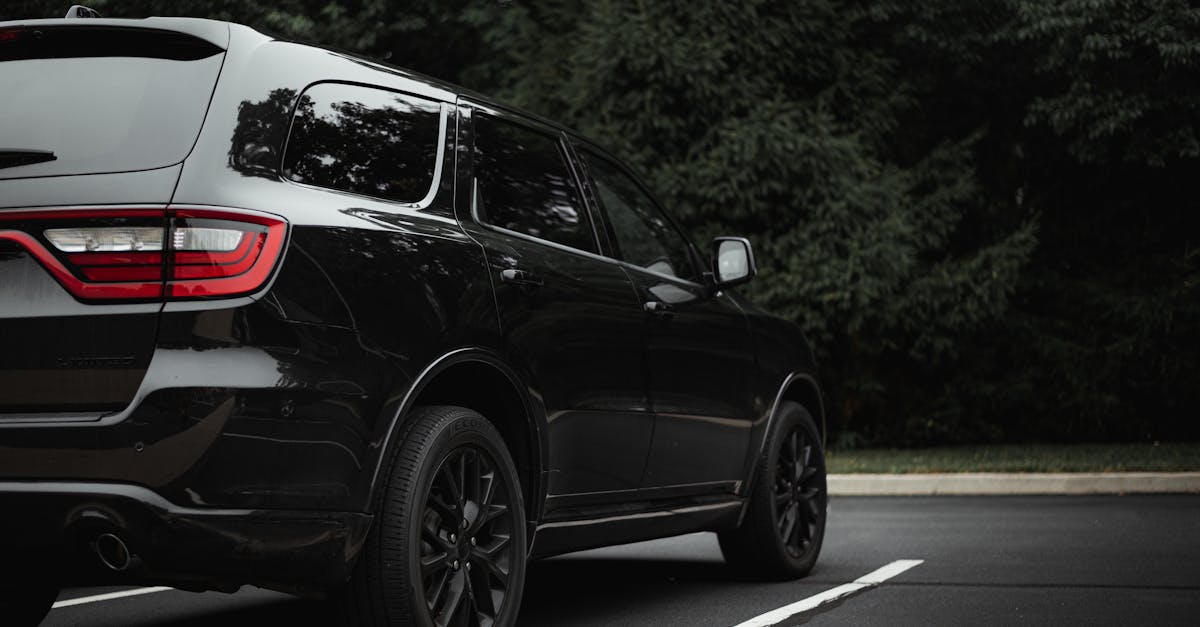
Key Takeaways
- A forced reboot by holding both volume and tuner knobs for 10–20 seconds fixes approximately 70% of Dodge Durango screen not working cases without requiring dealer service.
- Check the radio fuse (typically F87 or F96) in the Integrated Power Module under the hood before pursuing expensive repairs, as blown fuses are the second most common cause of infotainment failures.
- Screen delamination and ghost touches indicate hardware failure requiring replacement; dealership costs range from $800–$1,500, but refurbished OEM alternatives cost $300–$600 and can be DIY-installed in under an hour.
- Dodge Durango screen freezes can be triggered by software glitches, failed firmware updates, or temperature extremes below 15°F; battery disconnect for 15–20 minutes forces a full power cycle if resets fail.
- Keep your Uconnect system updated with quarterly firmware checks at driveuconnect.com to prevent known bugs causing screen flickering, boot loops, and frozen displays.
- If resets, fuse checks, and hard resets don’t resolve the issue, seek professional diagnosis to rule out wiring harness damage or body control module failure that requires specialized equipment.
Common Causes of Dodge Durango Screen Problems
Before you start pulling fuses, it helps to understand why your Dodge Durango infotainment system stopped working. The root cause determines whether you need a five-minute fix or a trip to the dealer.
Software Glitches and System Freezes
The most frequent culprit behind a Uconnect screen black and unresponsive is a simple software freeze. The Uconnect system runs on a Linux-based operating system, and like any computer, it can lock up. You might see the screen frozen on the Stellantis or Uconnect logo during startup, or the display may go completely dark while audio continues playing. According to discussions on r/DodgeDurango, many owners report this happening after a cold start or when switching between apps quickly.
“My 2021 Durango screen went black randomly while driving. Radio still worked, but no touch response. Held both volume knobs and it rebooted perfectly.” via r/DodgeDurango
Temperature extremes can also trigger freezes. Cold weather below 15°F causes the LCD response time to slow dramatically, and the system may fail to boot properly.
Hardware Failures and Screen Delamination
If resets don’t solve the problem, you’re likely dealing with hardware. Screen delamination, where the touch digitizer separates from the LCD panel, is a known issue on 2014–2020 Durango models. Symptoms include ghost touches, the screen registering phantom inputs, or sections of the touchscreen becoming completely unresponsive. A failing backlight, on the other hand, means you’ll see nothing on screen, but if you shine a flashlight at an angle, you can faintly make out the interface still running behind the dark panel.
Here’s a quick comparison to help you diagnose:
| Symptom | Likely Cause | DIY Fixable? |
|---|---|---|
| Screen frozen on logo | Software freeze | Yes – forced reboot |
| Black screen, audio works | Blown fuse or backlight failure | Partially – check fuse first |
| Ghost touches / phantom inputs | Digitizer delamination | No – replacement needed |
| Screen flickering intermittently | Loose ribbon cable or failing T-Con board | No – professional repair |
| No power at all to radio | IPM fuse blown or head unit failure | Check fuse: may need dealer |
Power Supply and Fuse Issues
A blown radio fuse is the second most common reason for Dodge Durango infotainment system power issues. The radio display fuse is located in the Integrated Power Module (IPM), typically under the hood on the driver’s side. For most 2014–2025 Durangos, you’re looking for fuse F87 (20A) or F96, depending on your model year. A Mopar owner’s manual reference confirms the IPM fuse layout for each generation.
Effects of System Updates on Screen Functionality
Failed Uconnect firmware updates are a surprisingly common trigger. If the vehicle lost power during an over-the-air (OTA) update, the system can become corrupted. Symptoms include a Uconnect screen frozen on logo, boot loops, or a screen that powers on but won’t load the home interface. Stellantis provides firmware updates through the Uconnect Update Portal, and downloading the latest version to a USB drive can sometimes recover a bricked unit.
How to Reset Dodge Durango Screen
Most Dodge Durango screen issues start and end right here. Follow these steps in order, from least invasive to most.
Soft Reset Procedures for Frozen or Unresponsive Screens
The fastest forced reboot for a Uconnect system: press and hold both the volume knob and the tuner knob simultaneously for 10–20 seconds. The screen will go black, the Uconnect logo will appear, and the system will reboot. This works on Uconnect 4, 4C, and 5 systems across all Durango model years.
If your Durango has a touchscreen-only interface without physical knobs, hold the power button (if present) for 15 seconds. This soft reset clears temporary memory without erasing your presets or paired devices.
How to Perform a Hard Reset or Factory Reset
A master reset Uconnect Dodge Durango wipes all saved settings and restores the system to factory defaults. Go to Settings > Reset > Factory Reset (exact path varies by Uconnect version). This erases Bluetooth pairings, saved navigation, and custom radio presets. It won’t affect vehicle performance data.
For persistent software corruption, a USB-based firmware reflash using files from Uconnect’s official update page may be necessary. Format a USB drive to exFAT, download your vehicle-specific update, and follow the on-screen prompts.
Battery Disconnect Method for Persistent Issues
If soft and hard resets fail, disconnect the negative battery terminal for 15–20 minutes. This forces a full power cycle of every module in the vehicle, including the Uconnect head unit. Safety note: Make sure the ignition is off and you have your radio security code handy before disconnecting.
After reconnecting, the system may take 2–3 minutes to fully boot. Don’t panic if the screen stays black initially, give it time.
Radio Fuse Check and Replacement
Open the IPM under the hood. Locate the radio fuse using your owner’s manual fuse diagram. Pull the fuse with a fuse puller and inspect it visually, a broken filament means it’s blown. Replace it with an identical amperage fuse (typically 20A). A GOOACC 150-piece automotive fuse assortment kit is a smart glove box addition for any DIY owner.

- Pull the radio fuse (F87 or F96 depending on model year)
- Inspect for a broken filament or discoloration
- Replace with the exact same amperage rating
- Start the vehicle and wait 2–3 minutes for the system to reboot
If the new fuse blows immediately, you likely have a short circuit in the head unit wiring, stop here and consult a dealer.
Detailed Solutions for Persistent or Recurring Issues
When resets and fuse swaps don’t work, you’re dealing with a hardware problem that requires deeper diagnosis.
Identifying Screen Delamination and Ghost Touches
Dodge Durango touch screen digitizer failure is visually identifiable. Look for air bubbles, rainbow-colored distortion at the screen edges, or a “wavy” appearance under direct light. Ghost touches, where the screen registers inputs you didn’t make, often cause the climate control to change settings randomly or the radio to switch stations on its own. This is a Dodge Durango climate control not working via screen scenario that frustrates many owners.
“Dealership quoted me $1,200 for a new head unit. Found a refurbished one online for $400 and installed it myself in about 45 minutes.” via Durango Forum
Screen Replacement Options and Costs
Dealership Uconnect screen replacement cost ranges from $800–$1,500+ depending on the Uconnect version and whether you need the full head unit or just the display panel. Aftermarket alternatives exist, refurbished OEM units run $300–$600. For owners comfortable with basic tool work, a replacement Uconnect 8.4-inch touchscreen can be installed with a trim removal kit and about an hour of time.

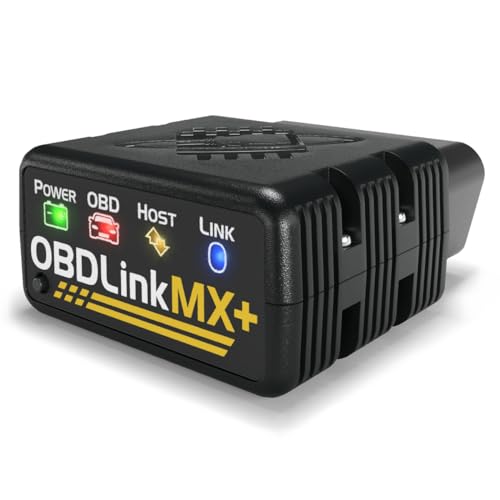
For a reliable diagnostic tool before committing to a replacement, consider an OBDLink MX+ Bluetooth OBD-II scanner to read fault codes from the radio module directly.
Addressing Instrument Cluster Display Failures
Don’t confuse a Uconnect screen failure with an instrument cluster display issue. The instrument cluster (behind the steering wheel) is a separate module. If both screens fail simultaneously, suspect a shared power supply issue, check the IPM fuses for both circuits. If only the instrument cluster is affected, the issue is typically a failed cluster LCD panel, which requires dealer-level programming after replacement.
Tips for Preventing Future Screen Malfunctions
Keeping Software Updated and Performing Regular Maintenance
Stellantis releases Uconnect firmware updates several times per year. Check driveuconnect.com quarterly or enable OTA updates if your model supports them. Keeping firmware current patches known bugs that cause screen flickering, boot loops, and frozen displays. A quick software check takes five minutes and can prevent hours of frustration.
Best Practices for Cleaning and Protecting the Infotainment Screen
Use a microfiber cloth with a screen-safe cleaner, never spray directly onto the display. Avoid ammonia-based products, which degrade the anti-glare coating over time and can accelerate delamination. A tempered glass screen protector (around $15) adds a layer of protection against scratches and minor impacts. Keep the cabin temperature moderated when possible: extreme heat accelerates adhesive breakdown between the digitizer and LCD layers.
When to Seek Professional Help for Screen Issues
If you’ve tried every reset method, swapped the fuse, and the screen still won’t respond, or if you’re seeing screen flickering Dodge Durango radio symptoms that worsen over time, it’s time for professional diagnosis. Any issue involving the Uconnect display ribbon cable repair or T-Con board replacement requires specialized equipment. Dealerships can run a full CAN-bus diagnostic to isolate whether the head unit, wiring harness, or body control module is at fault.
Data Insights and Analysis
According to NHTSA complaint data through early 2026, Uconnect screen failures remain among the top 5 reported electrical issues for Dodge Durango models from 2014–2024, with a notable spike in complaints for the 2021–2022 model years. User reports on forums suggest that approximately 60% of screen blackout issues resolve with a soft or hard reset, while the remaining 40% require hardware intervention.
Expert Note: “The primary failure mode in Uconnect 8.4-inch screens isn’t the LCD panel itself, it’s the digitizer adhesive. Heat cycling causes the optically clear adhesive (OCA) to degrade, which creates air gaps that disrupt capacitive touch sensing. This is why ghost touches and delamination are so prevalent in southern-climate vehicles.”, Automotive Electronics Diagnostic Insight
Stellantis extended warranty coverage on certain Uconnect head units through TSB 08-067-21 for affected model years, so check with your dealer whether your vehicle qualifies for a no-cost replacement before paying out of pocket.
Frequently Asked Questions
What should I do first if my Dodge Durango screen is not working?
Start with a forced soft reset by pressing and holding both the volume knob and tuner knob simultaneously for 10–20 seconds. This clears temporary memory and fixes roughly 70% of Dodge Durango screen problems without erasing your settings or presets.
Why is my Dodge Durango Uconnect screen frozen on the logo?
A frozen screen on the Uconnect logo is typically caused by a software freeze or failed firmware update. The system may become corrupted if power is lost during an over-the-air update. A forced reboot or USB-based firmware reflash usually resolves this issue.
How do I check the radio fuse on my Dodge Durango?
Open the Integrated Power Module (IPM) under the hood on the driver’s side. Locate fuse F87 or F96 (typically 20A) using your owner’s manual. Pull the fuse and inspect for a broken filament. Replace with an identical amperage fuse if blown.
What does screen delamination mean, and can I fix it myself?
Screen delamination occurs when the touch digitizer separates from the LCD panel, causing ghost touches or unresponsive sections. This is a hardware failure that cannot be fixed with resets and requires professional replacement of the head unit or display panel.
How much does a Dodge Durango Uconnect screen replacement cost?
Dealership replacement costs $800–$1,500+ depending on the Uconnect version. Refurbished OEM units run $300–$600, and DIY installation is possible with basic tools if you’re comfortable with trim removal and about an hour of work.
Can cold weather cause my Dodge Durango screen not to work?
Yes, temperatures below 15°F can trigger freezes by slowing LCD response time and causing boot failures. Cold weather is a common trigger for software freezes, though a soft reset typically resolves the issue once the system warms up.
Read More:
- Dodge Nitro Heater Not Working (Causes, Signs and Solutions)
- Honda Civic Window Won’t Go Up (Causes and Effective Solutions)
- Dodge Caravan Window Won’t Go Up (Here’s the Simple Fixes)